INF-250: Web Design and Development — CSS Selector Game Show
Selector Cheat Sheet
Here is a quick reference for CSS selectors.
element- Type selector (selects all elements of that type).class- Class selector (selects all elements with that class)#id- ID selector (selects the element with that ID)selector1, selector2- Grouping selector (selects all listed matches)selector1 selector2- Descendant selector (selects matches inside other elements)
Round 1
<div>Welcome to my site</div>
<h1>I love HTML</h1>
<p>Coding makes me happy!</p>
Round 2
<div class="header">Welcome to my site</div>
<div class="title">Coding makes me happy!</div>
<div class="text">I love HTML</div>
Round 3
<div id="main-title">Welcome to my site</div>
<div>Coding makes me happy!</div>
<div class="highlight">I love HTML</div>
Round 4
<header>
	<h2>Welcome to my site!</h2>
</header>
<section>
	<h2>I love HTML</h2>
	<p>Coding makes me happy!</p>
</section>
<footer>
	<p>Copyright 2026</p>
	<div>All rights reserved.</div>
</footer>
Round 5
<div class="container">
	<header>
		<h2>Welcome to my site!</h2>
	</header>
	<section>
		<h2 class="highlight">I love HTML</h2>
		<p>Coding makes me happy!</p>
		<h2>CSS is kinda hard though</h2>
		<p>It makes me less happy.</p>
	</section>
	<section class="card">
		<h2>Did you know?</h2>
		<p class="highlight">CSS stands for Cascading Style Sheets.</p>
	</section>
	<footer>
		<p>Copyright 2026</p>
		<div>All rights reserved.</div>
	</footer>
</div>
Challenge 1: Text Color Rules
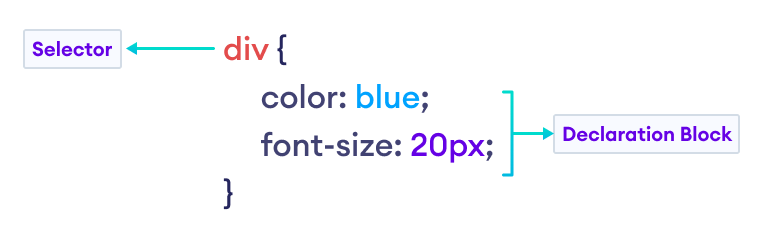
Remember the syntax to write a full CSS rule:
selector {
	property: value;
}

div {
	color: green;
}
Challenge 2: Text and Background Colors
Remember, to set the text color with CSS, use the color property:
div {
	color: green;
}
To set the background color, use the background-color property:
div {
	background-color: green;
}
Challenge 3: Adding font families
Without using custom fonts, you can set the font family with generic family names like serif, sans-serif, and monospace.
p {
	font-family: sans-serif;
}

h1 {
	font-family: serif;
}

header {
	font-family: monospace;
}
Challenge 4: Font Size and Weight
Use the font-size property to change the size of text.
h1 {
	font-size: 32px;
}
Use the font-weight property to change the weight (boldness) of text. Options include: light, normal, and bold.
h1 {
	font-weight: bold;
}
You can also use the text-decoration property to add an underline to text.
h1 {
	text-decoration: underline;
}
Finally, you can use the text-transform property to change the case of text. Options include uppercase, lowercase, and capitalize.
h1 {
	text-transform: uppercase;
}